
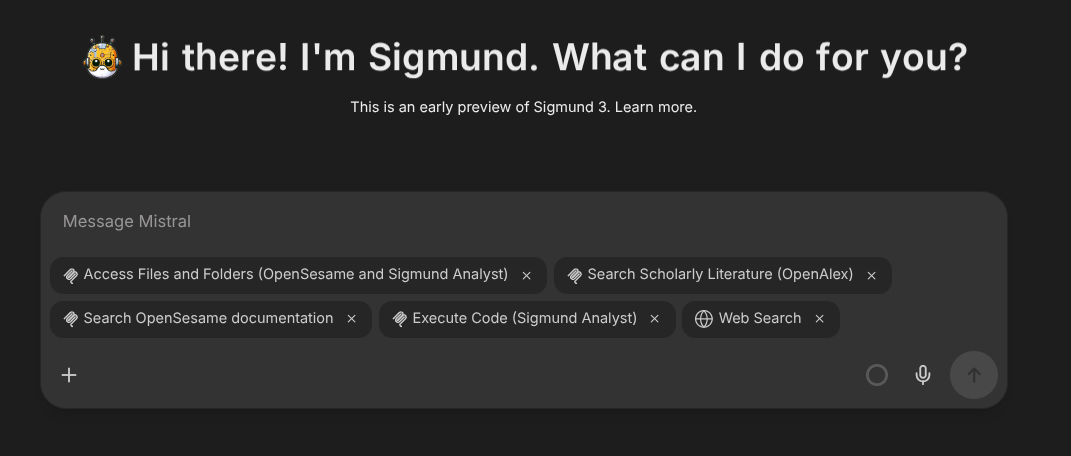
What's new in Sigmund 3?
Sigmund 3 is in public beta. Play around with it but expect occassional bugs!
Sigmund 3 is a complete rewrite based on LibreChat, a mature chat interface. By building on LibreChat, we can focus on the functionality that makes Sigmund unique: privacy and integration with scientific tools and resources.
Right now, Sigmund 3 integrates with the following tools:
- OpenSesame for developing psychology experiments
- Sigmund Analyst for data analysis with Python
- OpenAlex for literature search
Support for the following tools will be rolled out soon:
- JASP for statistical analysis
- Jupyter Notebook for data analysis with Python
- Positron (formerly RStudio) for data analysis with R
- MindProbe/ JATOS for managing online psychology experiments
For now, Sigmund 2 is still the default chat interface at sigmundai.eu. To use Sigmund 3, visit chat.sigmundai.eu.
Important change: encryption
Unlike previous versions, Sigmund 3 does not fully encrypt user data. The reason is that encryption is currently not implemented in LibreChat, which is the software that Sigmund 3 is based on. This does not mean that your data is unsafe. However, it does mean that someone with administrator access to the server could in principle read your chat history. (The same is true for almost every other chat bot.)
For now, if full encryption is important, use Sigmund 2, which will remain available at sigmundai.eu. In the meantime, we are working to implement full encryption also in Sigmund 3!
Supported applications
OpenSesame
Sigmund 3 requires opensesame-extension-sigmund version 1.6.0 or higher. You can update through the automatic updater, or by running:
pip install opensesame-extension-sigmund pyqt_code_editor sigmund-mcp-relay --upgrade
Next:
- Start OpenSesame (restart after an update).
- Click on the Sigmund icon in the toolbar.
- At the top of the Sigmund panel, click "Try out the new Sigmund 3 (beta)!".
- Open a browser and visit chat.sigmundai.eu.
- Click the + button below the chat box and activate "Get Pairing Code".
- Ask for a pairing code. ("Hi Sigmund, can you give me a pairing code?")
- Switch back to OpenSesame.
- In the Sigmund panbel, click "Connect" and enter the pairing code. You are now connected!
- Switch back to Sigmund, and activate "Build Experiments" and/ or "Search OpenSesame documentation".
Sigmund Analyst
Sigmind 3 requires Sigmund Analyst (pyqt_code_editor) version 1.4.0 or higher. To update, run:
pip install opensesame-extension-sigmund pyqt_code_editor sigmund-mcp-relay --upgrade
Next:
- Start Sigmund Analyst (restart after an update).
- Click on the Sigmund icon in the toolbar.
- At the top of the Sigmund panel, click "Try out the new Sigmund 3 (beta)!", and restart Sigmund Analyst.
- Open a browser and visit chat.sigmundai.eu.
- Click the + button below the chat box and activate "Get Pairing Code".
- Ask for a pairing code. ("Hi Sigmund, can you give me a pairing code?")
- Switch back to Sigmund Analyst.
- Click on the Sigmund icon in the toolbar to reveal the Sigmund widget. Click "Connect" and enter the pairing code. You are now connected!
- Switch back to Sigmund, and activate "Execute Code" and/ or "Access Files and Folders"
JASP
Coming soon!
Jupyter Notebook
Coming soon!
Positron (formerly RStudio)
Coming soon!
MindProbe/ JATOS
Coming soon!